
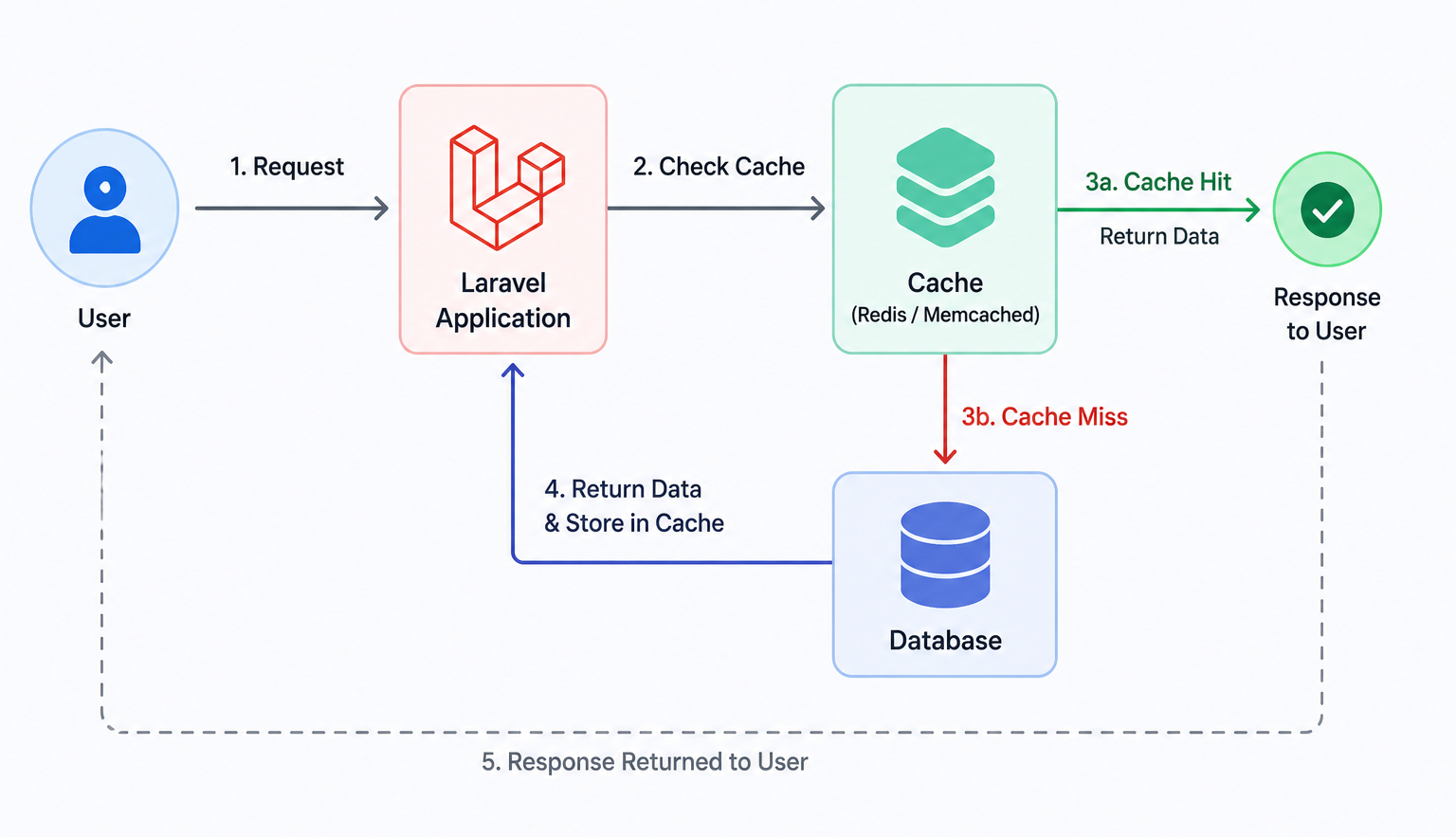
Caching Strategies in Laravel for High-Traffic Applications
1. Application Caching Application caching in Laravel helps speed up performance by storing frequently used data so that it can be retrieved quickly without repeatedly querying the database or performing heavy computations. Laravel provides a simple yet powerful Cache facade that supports multiple drivers such as Redis, Memcached, Database, and File. For high-traffic applications, Redis or Memcached is recommended because they use in-memory storage, providing extremely fast data retrieval. You can cache configuration values, settings, or even entire API responses. Always set appropriate expiration times and use cache tags to group related data, making it easier to manage and invalidate cached information when necessary.
2. Query Caching Database queries can become expensive as application traffic grows. Query caching allows you to store the results of complex or frequently executed queries and reuse them until the underlying data changes. In Laravel, you can cache query results using the Cache::remember() method, which stores the result for a specified time and retrieves it from the cache on subsequent requests. This significantly reduces database load and improves response times. When implementing query caching, ensure that cached data is cleared or updated whenever related database records are modified to avoid serving outdated information.
3. Route and Configuration Caching Laravel includes built-in commands to cache routes, configurations, and views. By running php artisan route:cache and php artisan config:cache, you can significantly improve your application's performance by reducing the number of file reads and speeding up the framework's bootstrapping process. These optimizations are especially useful in production environments with high traffic, as they minimize the overhead of loading route definitions and configuration values on every request. Using these commands during deployment ensures that your application starts faster and handles more requests efficiently.
4. Cache Invalidation and Best Practices A good caching strategy is not just about storing data but also about keeping it fresh and relevant. Always use cache invalidation techniques such as Cache::forget(), incrementing cache keys, or cache tags to remove outdated data whenever changes occur. Avoid caching user-specific or highly dynamic data that changes frequently unless necessary. Monitor cache performance using tools like Laravel Telescope or Redis Insights to identify bottlenecks and optimize cache usage. By combining the right caching strategies with regular monitoring and maintenance, your Laravel application can efficiently handle high traffic while delivering a fast and smooth user experience.
0 Comments